Only the hair changes
Ideogram 4.5 Edit runs in high precision mode: after recoloring, it restores the areas you did not ask to change, so your face, skin tone, haircut and background stay put.
 AI Hair Color Changer
SEE IT BEFORE THE SALON
New hair color.
Same you.
Upload a selfie, tap a shade, and see yourself with honey blonde, copper, platinum or pastel hair. This AI hair color changer recolors only your hair; your face, haircut and background stay exactly as they were.
Strictly Prohibits Adult/NSFW ContentFirst color free for new accounts · 2 credits per color after that · Powered by Ideogram 4.5 Edit
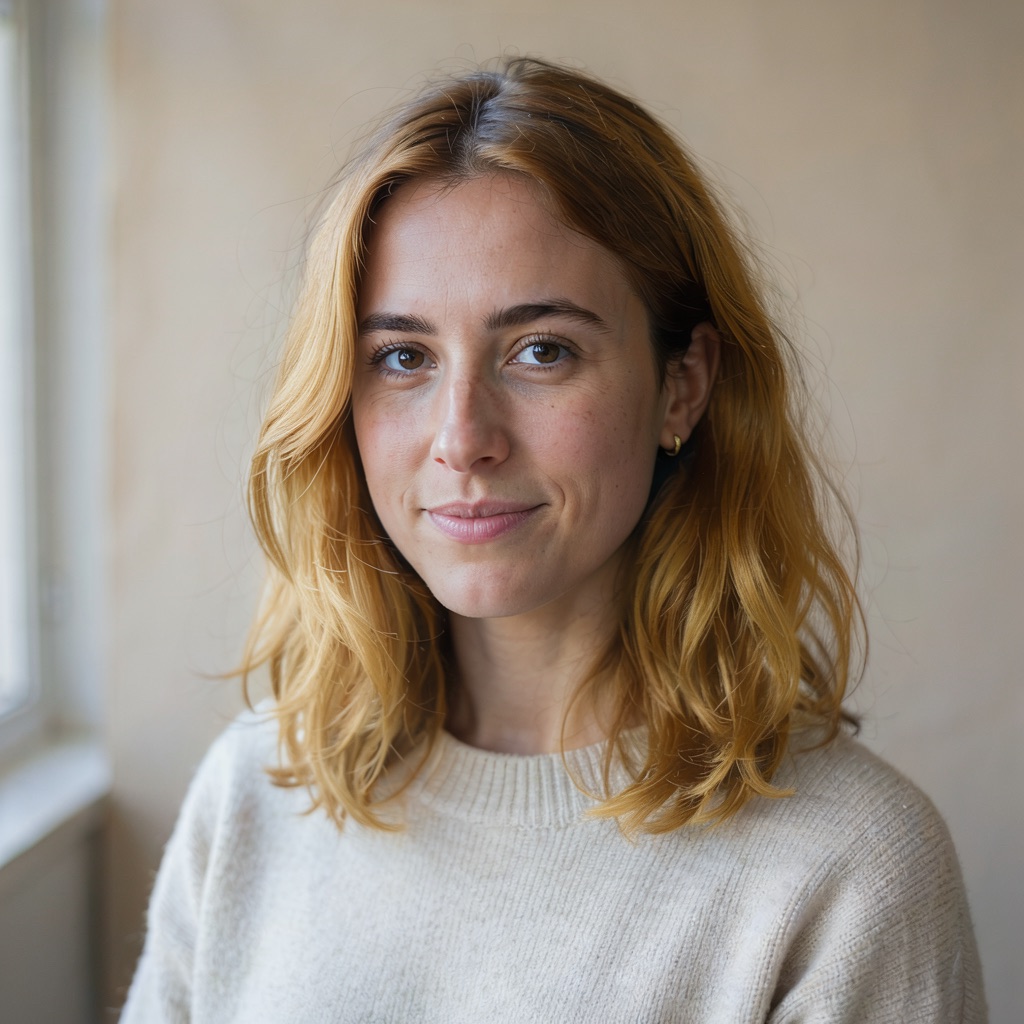 Honey blonde
TRY IT ON YOUR PHOTO
1 Upload · 2 Pick a shade · 3 Get your new look
Selected: Honey blonde
Upload a clear photo above, then pick a color. Face, haircut and background are kept.
Only live routes are selectable. Your prompt stays in place when you switch.
Your image will appear here
The instruction is written for you from the shade and style you pick. Every request, including custom colors, asks to keep the same face, haircut and background. Your photo keeps its original framing.
Ideogram 4.5 Edit runs in high precision mode: after recoloring, it restores the areas you did not ask to change, so your face, skin tone, haircut and background stay put.
From jet black and honey blonde to electric blue and pastel lavender, applied all-over, as balayage, ombré, highlights or with a soft dark root. Or type any color you have in mind.
Every result is saved to your account history. Try a few shades on the same photo and bring the one you like to your colorist.
THE PALETTE
Natural · Blonde · Bold · Pastel
Not sure which shade suits you? Start close to your natural color, then go bolder. Warm shades like honey blonde and copper flatter warm skin undertones; cool shades like ash blonde, platinum and lavender tend to suit cool undertones. The AI hair color changer lets you test both on the same photo before committing to a dye job.
HOW IT WORKS
A clear, well-lit portrait where the hair is visible. JPG, PNG or WebP up to 20 MB.
Twenty swatches in four families, five dye styles, or any color you type.
Only the hair is recolored. Download the result or try the next shade on the same photo.
Behind the scenes, the AI hair color changer sends your photo to Ideogram 4.5 Edit in high precision mode with one instruction: recolor the hair, keep everything else. After the edit, the model restores the regions it judges unchanged, which is why your eyes, skin and expression look like you rather than a lookalike. Busy backgrounds, hats and heavy filters can still cause small drift, so always check the result.
FAQ
We run Ideogram 4.5 Edit in high precision mode and every instruction explicitly asks to keep the same face, features, skin tone, haircut and background. After recoloring, the model restores the areas it judges unchanged. It greatly reduces unwanted changes but cannot promise identical pixels on every photo, so check the result before sharing it.
A clear, well-lit photo where the hair is visible and not covered by a hat or heavy filter. One person per photo gives the most predictable result. JPG, PNG and WebP up to 20 MB are supported.
Your first hair color change is free: new accounts receive 2 credits after signing in. After that, each new hair color uses 2 credits, shown before you submit. Picking swatches and editing the instruction is free, and every finished image stays in your account history.
Yes. Type any color into the custom field, for example "smoky peach" or "midnight blue", and choose a dye style. The identity instructions are added automatically.
It is a realistic preview, not a guarantee. Real results depend on your current color, hair health and the products used. Show the preview to your colorist as a reference.
Only photos of yourself, or of people who have agreed to it. Do not upload photos of minors without a guardian’s consent, and do not use results to impersonate anyone. Adult or NSFW content is prohibited; see the Terms.
No. AI Hair Color Changer is an independent service that uses the Ideogram 4.5 Edit model, with its own accounts and billing. It is not affiliated with Ideogram.